




Question:
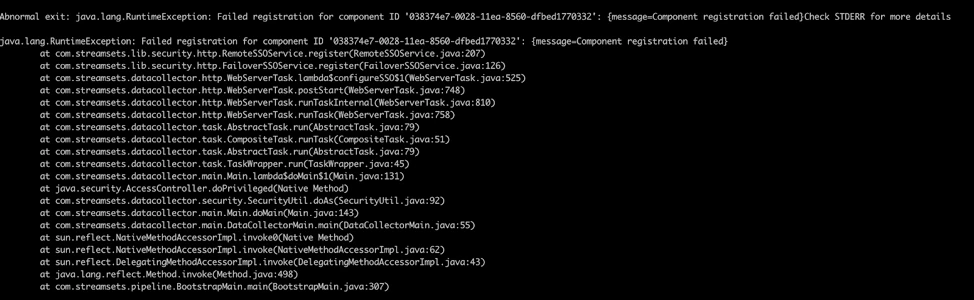
Data Collector unable to start with error “java.lang.RuntimeException: Failed registration for component ID '038374e7-0028-11ea-8560-dfbed1770332’” as attached in the stack trace below.
Answer:
This error appears when the Data Collector authentication token does not match the authentication token in Control Hub.
If Data Collector is unregistered to Control Hub, then delete the contents of the $SDC_CONF/application-token.txt file and set dpm.enabled in $SDC_CONF/dpm.properties to false.
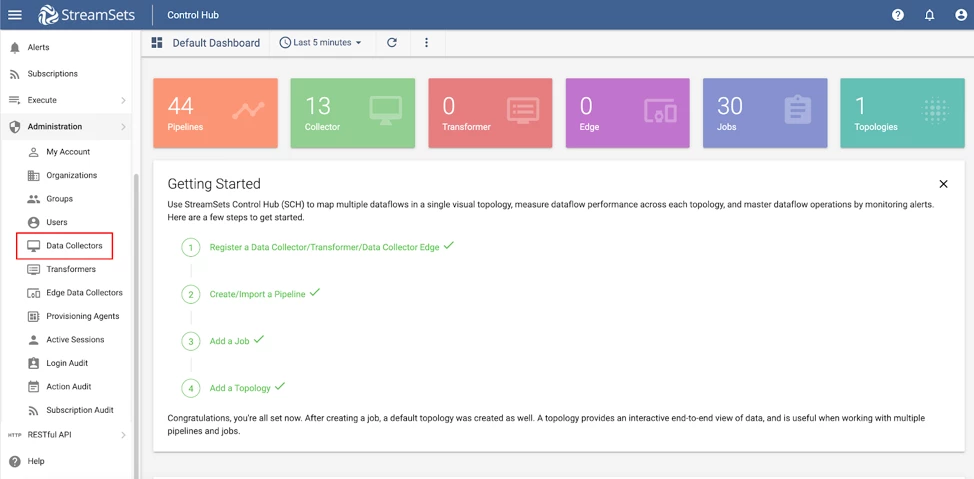
If Data Collector is registered to Control Hub, one can generate the new authentication token by going to Control Hub UI --> Administration --> Data Collector --> Generate Authentication Token (as mentioned in the example below).
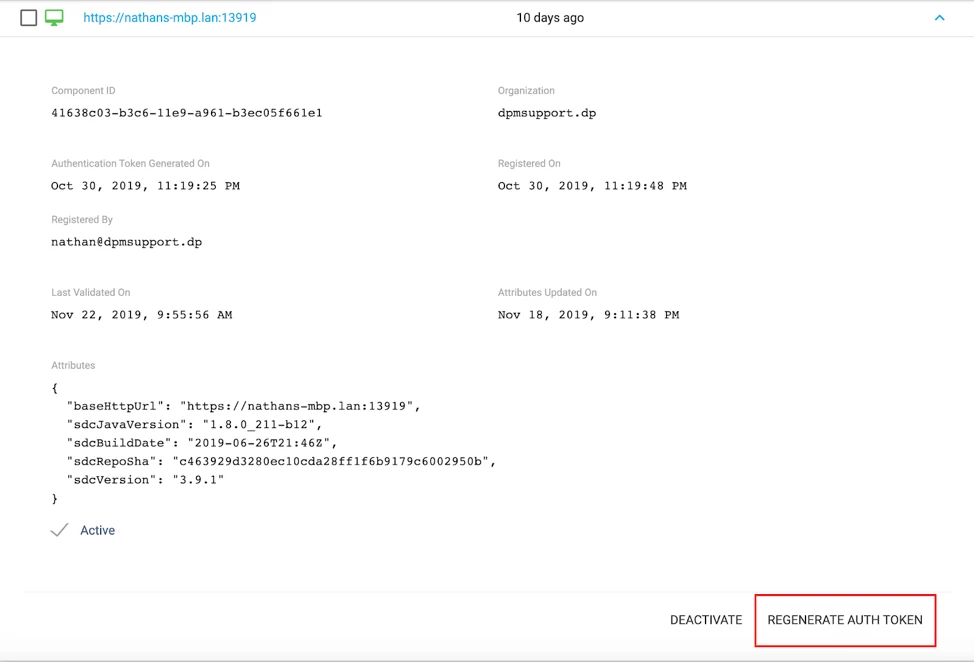
Once the token is generated, copy the token to the application-token.txt file located in the SDC_CONF/application-token.txt.