



ssue:
- How to design a pipeline to execute the hive DDL queries only once in SDC/SCH?
Solution:
- Create a new pipeline, In General tab -> Start Event -> Select Hive Query (Library: XXXX)
(NOTE: In case if you don't see the Hive Query in Start Event, install the library by using Package Manager in SDC UI)
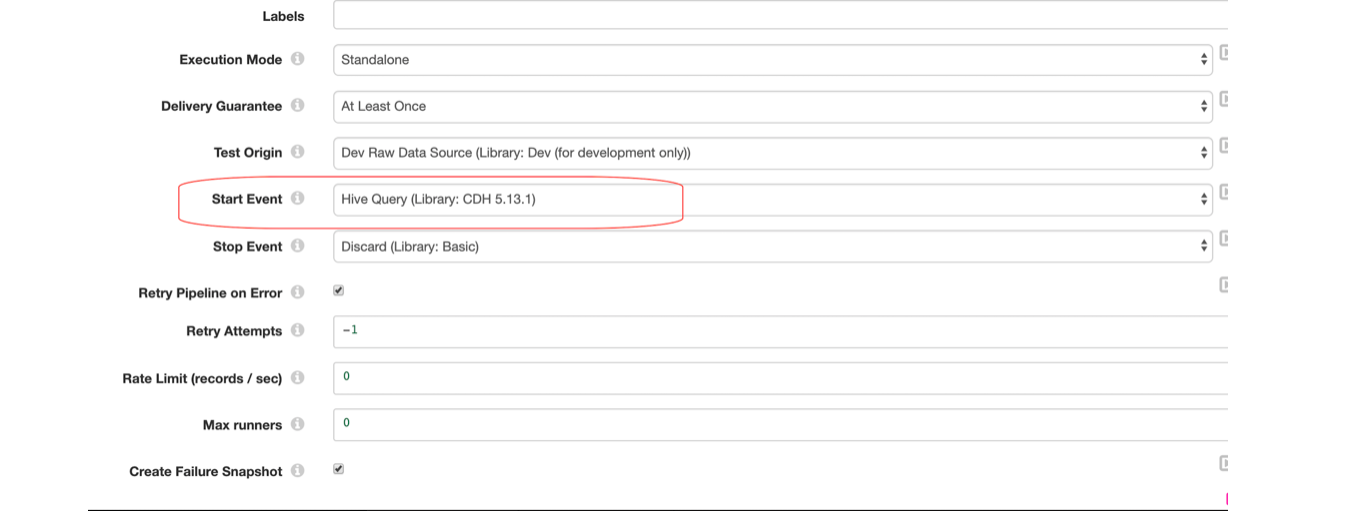
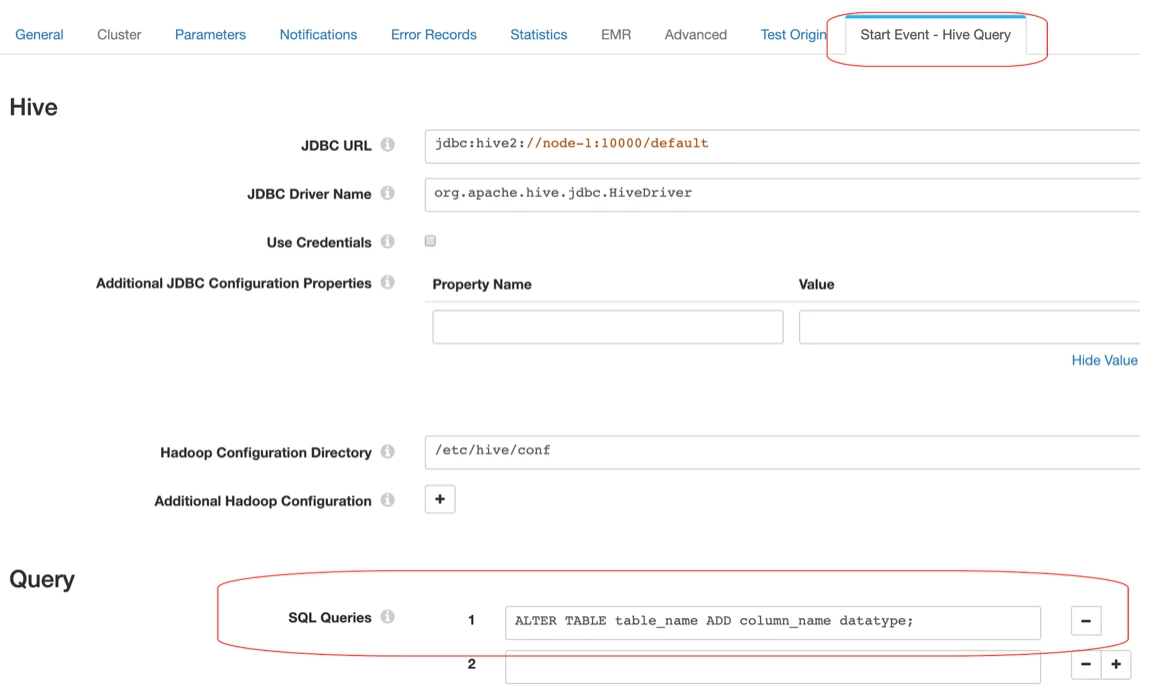
- Once the Hive Query is selected in Start Event, a new tab with Start Event - Hive Query is generated. Add all the required configurations.
- In canvas, select Dev Raw Data Source origin and in Raw Data tab, check the property Stop After First Batch. Connect the origin to Trash.
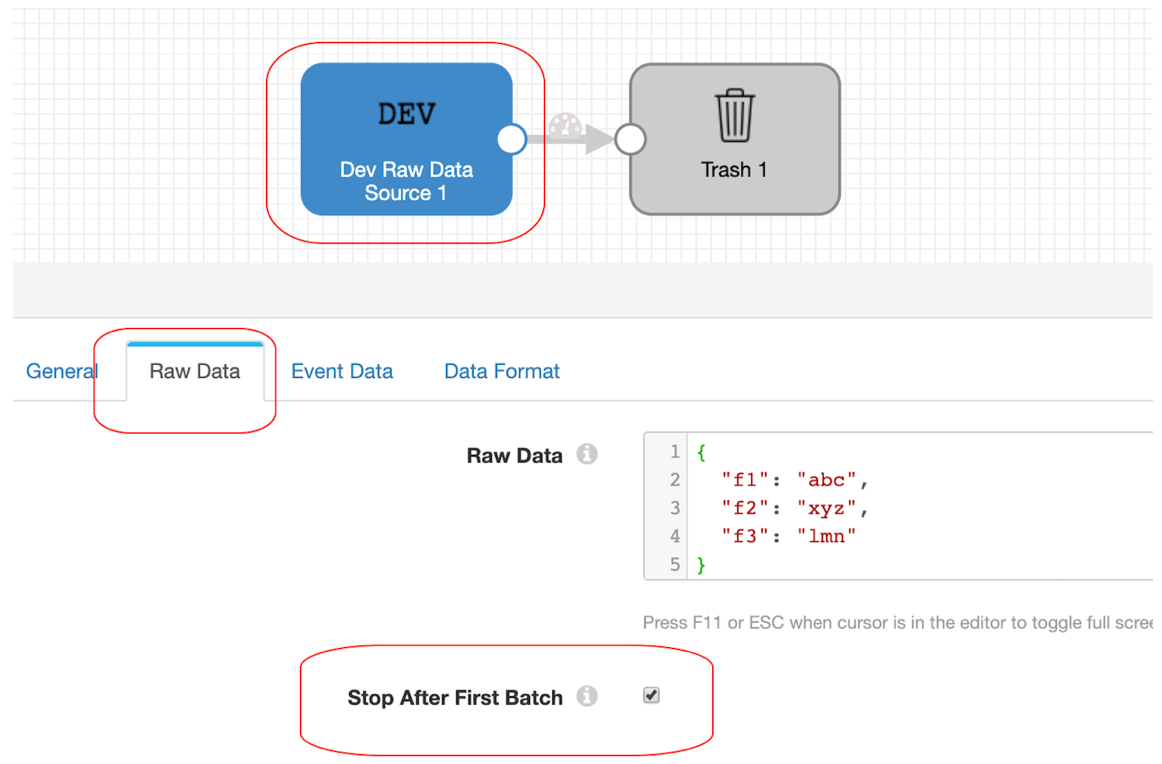
When we start the pipeline,
First Start Event is triggered, incase if Start Event fails then the pipeline fails to start.
Once the Start Event is successful, then pipeline will stop after the first batch.